
Why AI-built sites all look the same
Ask Lovable, v0 or Claude for a landing page and you get the same page everyone gets: a purple gradient hero, Inter, an emoji in every heading and three identical feature cards. The model is not lazy. Without a design to follow it falls back on the average of everything it has seen.
Describing a style in words does not fix it. “Clean and modern like Linear” leaves the model to guess every colour, size and spacing value, and it guesses the defaults again. What it needs is the measured system: the exact colours and what each is for, the type scale, the spacing steps, the corner radii, and the things the original never does.
How Build with AI works
1. Open a site whose design you like in Chrome and analyse it with PikSpec.
2. Choose Build with AI, say what you are building (“a pricing page for a guitar-lesson app”), and answer a few short questions: which pages, a new or an existing project, and which font to use when the original’s is licensed.
3. Pick your tool. Lovable, Bolt and v0 open with the prompt already filled in. Claude and ChatGPT get it on the clipboard. Cursor, VS Code and Claude Code get a ready project folder with the tokens, the rules in AGENTS.md and CLAUDE.md, reference screenshots and a checker.
4. Build. The tool works from the measured design instead of its defaults, and in a code editor it runs pikspec-check to find any colour, size or font that drifted from the system.
What is in an AI Kit
The prompt: what you are building first, then the design language, written for the tool you picked. Short tools such as v0 get a version that keeps the most important rules within their limit.
The tokens: every colour, font, size, spacing step, radius and shadow as CSS variables and a Tailwind v4 theme, with Tailwind’s default palette removed so off-system colours cannot creep in.
The rules: what makes the design look like itself and what to avoid, each backed by a measurement, such as “headlines are weight 900” or “no gradients, none were measured”.
The font plan: when the site uses its own licensed font, the kit says so, uses the closest free match from Google Fonts, and tells the tool how to switch if you own the original.
Reference crops: the first screen and the most distinct sections as images an AI tool can actually read, instead of one screenshot fourteen thousand pixels tall.
Restyle an app you already have
Choose My existing project and the kit arrives as a pikspec folder to drop into your repository, with variables prefixed so nothing clashes. The brief tells your agent to map the values onto your existing theme and restyle component by component, without changing logic, routes or copy.
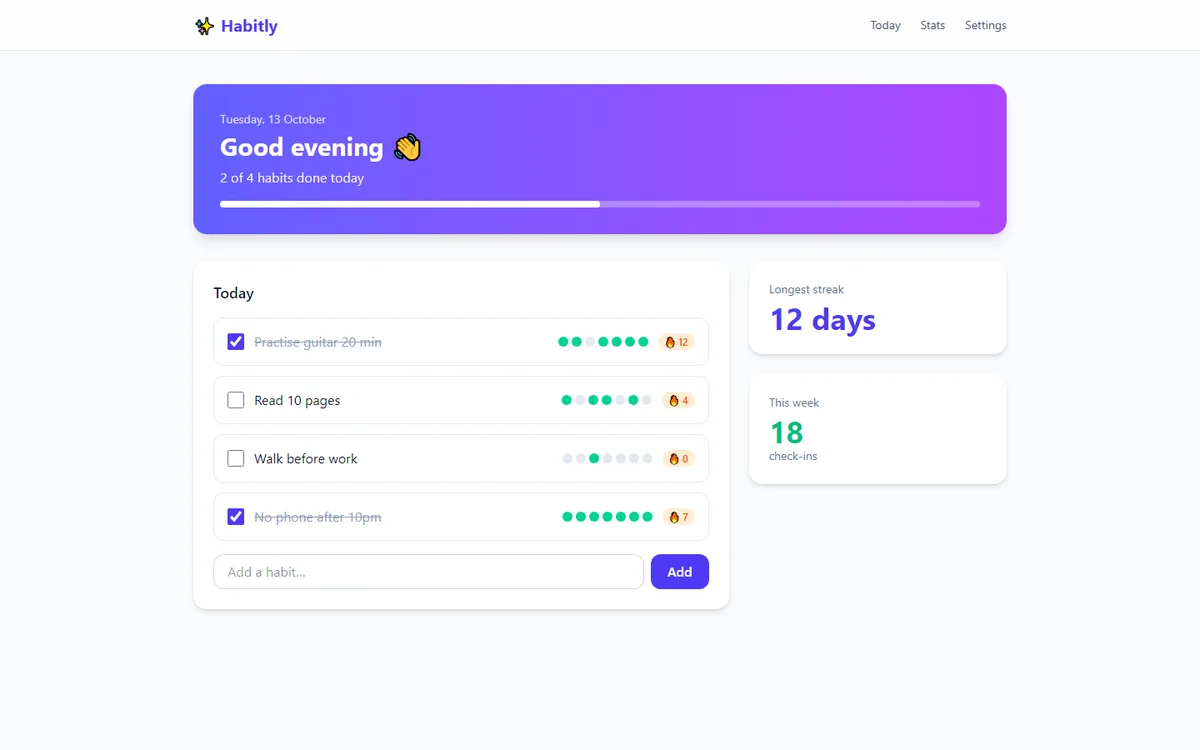
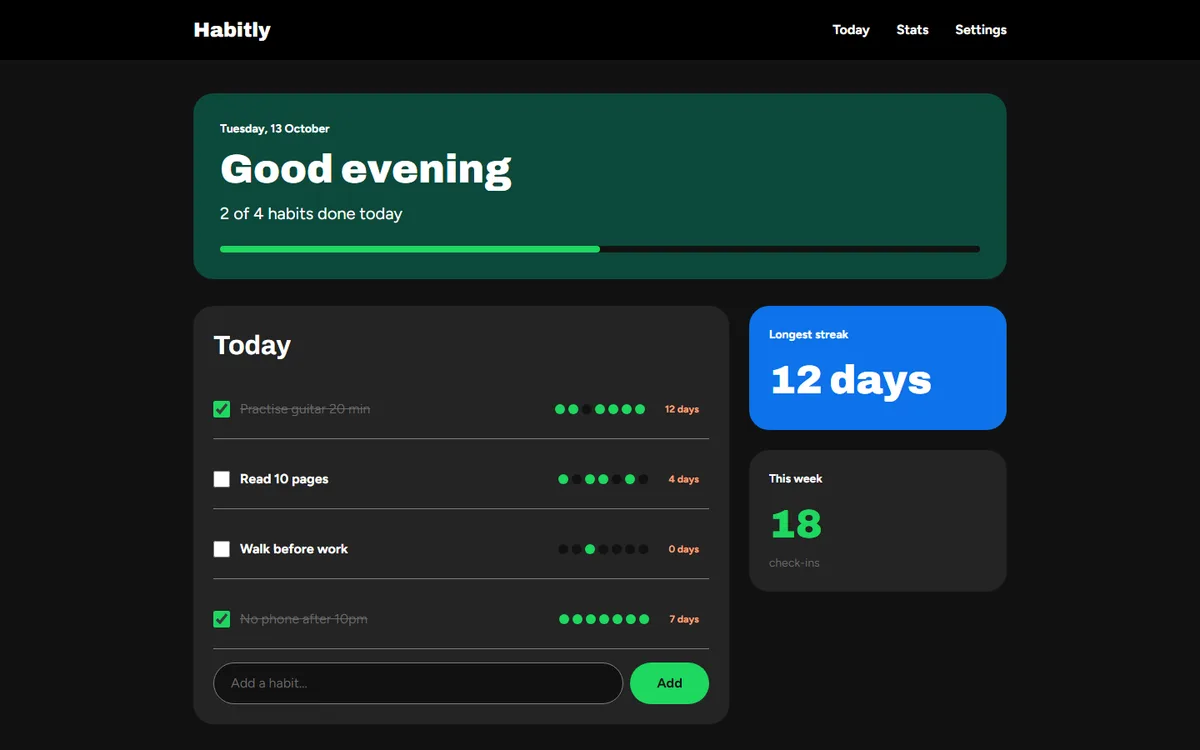
The example below is a habit tracker built with the usual AI defaults, restyled in one pass with a kit captured from a music service’s pricing page. The code and the words did not change; the colours, type, shapes and spacing did.
What to expect
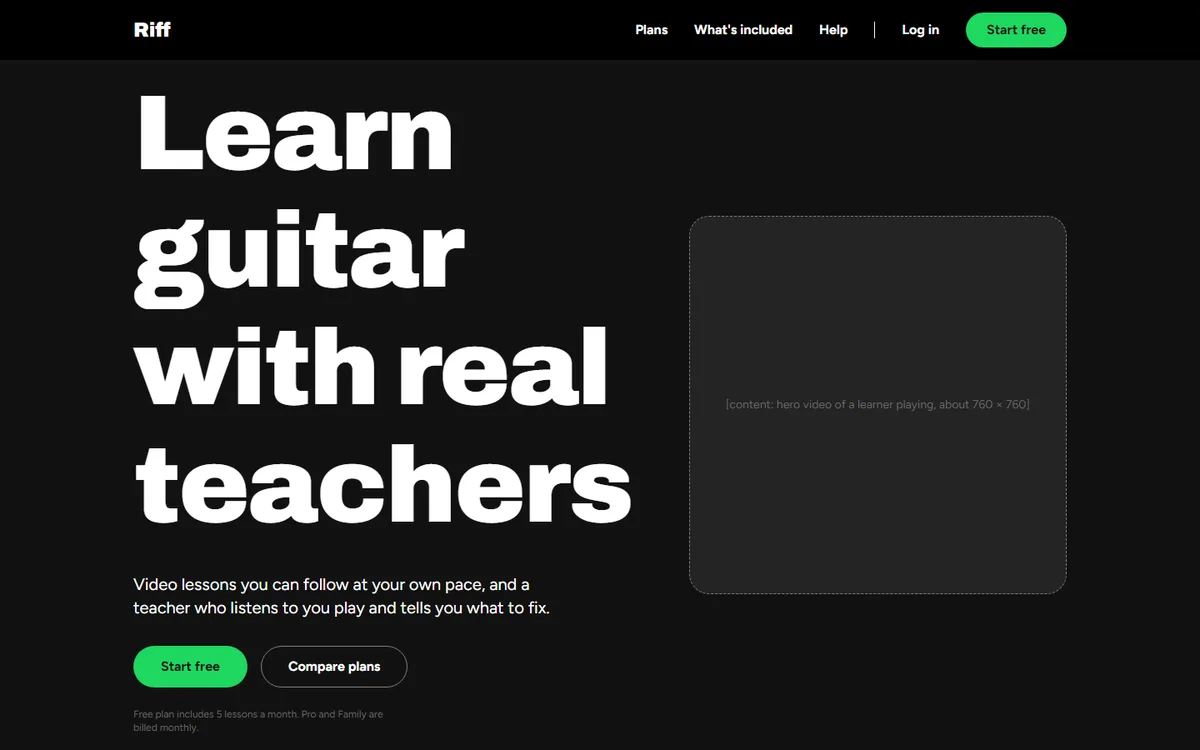
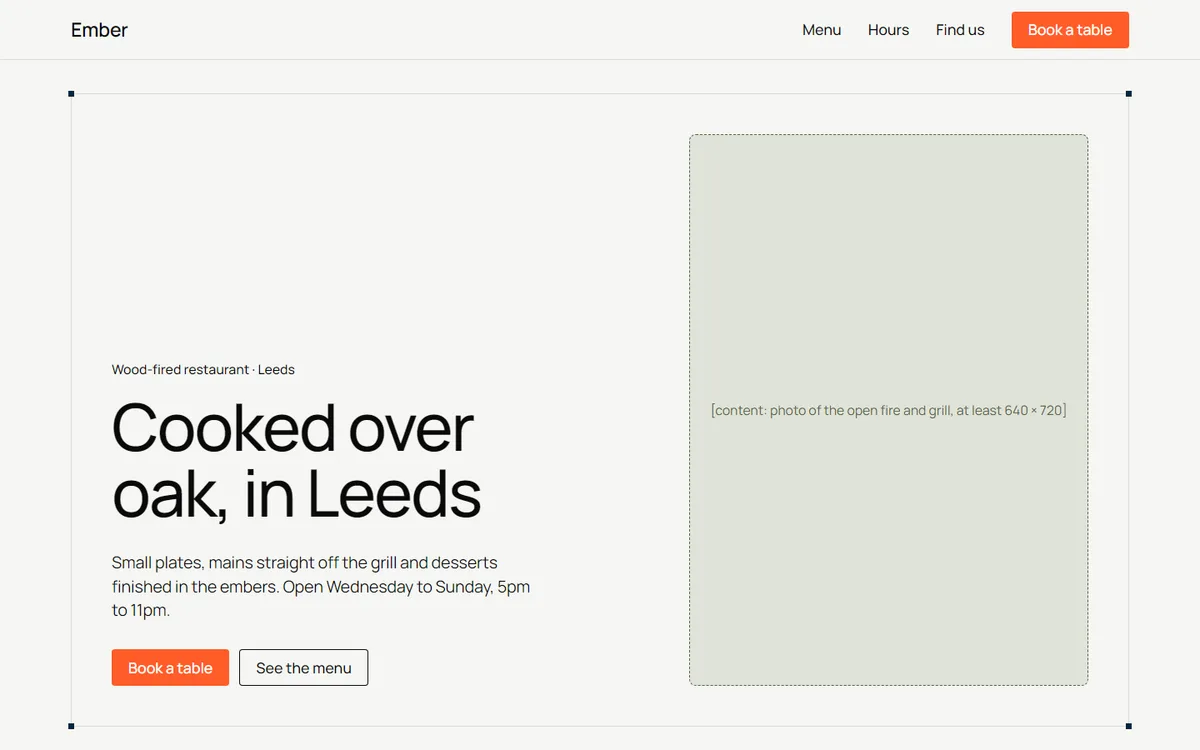
In our own tests, building a guitar-lesson pricing page, an invoicing landing page and a restaurant site from three different captured styles, each result was recognisably in its source’s design family and free of the usual AI defaults. Where the kit had no real content, such as dishes and prices or photographs, it left clearly marked slots rather than inventing them, so a finished site still needs your words and images.
Code editors get the best results because they read the whole kit and run the checker. Builders such as Lovable only see the prompt, so review their first result against the reference and ask for fixes in the same chat.
A style, not a copy
An AI Kit carries a design language: values and rules. It never includes the original site’s name, logo, text or images, and it substitutes free fonts for licensed ones unless you say you own them. Build your own product in a style you admire; do not pass it off as someone else’s.
Questions
How do I make Lovable follow a design system?
Give it the measured system, not a description. Build with AI opens Lovable with a prompt that lists the exact colours, fonts, sizes and rules from the site you captured, and what you are building, so Lovable starts from that design instead of its defaults.
How do I stop AI-generated websites looking like AI slop?
Replace the model’s defaults with a real design: an allowed colour list, a type scale, spacing steps, radii and explicit bans such as no gradients or emoji icons. An AI Kit packages exactly that from any website you like.
Does it work with Claude Code and Cursor?
Yes, and best there. You get a starter project or a pikspec folder with tokens, AGENTS.md and CLAUDE.md rules, reference images and a checker the agent runs before it finishes.
Can I use it on an existing project?
Yes. Choose My existing project. The kit maps onto your current theme and restyles your components without changing their logic or copy.
Will it copy the other website?
No. It transfers the design language only. The prompt tells the tool never to use the original’s name, logo, words or images.
How much does it cost?
Each kit uses one AI Kit credit. New accounts get a free allowance; more come in one-time packs with no subscription.
Contact PikSpec
Email support@pikspec.com for support, privacy requests or content reports.